
Aeronautical Calculator1.0.1 - Google Play
You'll be able to see results in few seconds.
Publisher Description
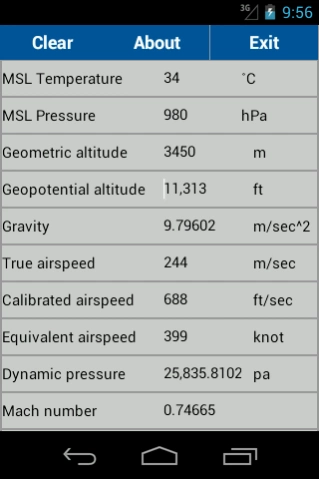
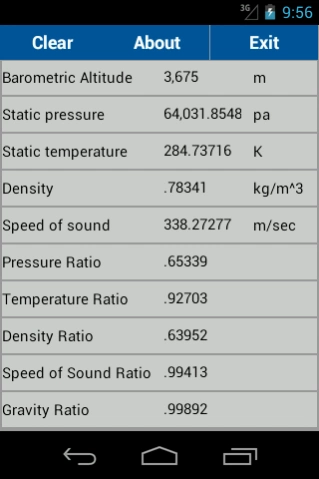
Convert various altitude and airspeed types in non standard conditions.
Calculate non standard atmospheric characteristics (according to the 1976 International Standard Atmosphere model), convert various altitude and airspeed types with regard to sea level atmospheric conditions.
Correct up to geometric altitude of 84 kilometers.
Usage:
1) Enter mean sea level characteristics (temperature, pressure).
2) Enter chosen altitude (geometric or geopotential) or gravity, press 'done' and view atmospheric properties at
chosen altitude \ gravity.
3) Enter chosen airspeed (true or calibrated or equivalent; up to the local value of the speed of sound) or dynamic
pressure or mach number (up to mach one), press 'done' and view airspeed type converted at current altitude and
mean sea level characteristics.
Notice:
1) Long click each variable label to get information regarding that variable.
2) Use right side spinners to change input / output unit types.
Remarks:
1) Airspeed conversion is performed under assumption that air is compressible, isentropic (subsonic; mach
number < 1.0) and dry with a constant specific heat ratio.
2) If at current atmospheric conditions, input airspeed results in mach number greater then 1 - calculation is
performed according to mach number 1.
3) Density is calculated using a perfect gas relationship.
4) Geopotential altitude input is defined according to standard day (ISA).
5) The mean molecular weight is not corrected for geometric altitude above 80km.
Questions or bug reports? please contact me at malta.dan@gmail.com.
About Aeronautical Calculator
The company that develops Aeronautical Calculator is Dan Malta. The latest version released by its developer is 1.0.1.
To install Aeronautical Calculator on your Android device, just click the green Continue To App button above to start the installation process. The app is listed on our website since 2015-03-11 and was downloaded 0 times. We have already checked if the download link is safe, however for your own protection we recommend that you scan the downloaded app with your antivirus. Your antivirus may detect the Aeronautical Calculator as malware as malware if the download link to malta.aeroCalc is broken.
How to install Aeronautical Calculator on your Android device:
- Click on the Continue To App button on our website. This will redirect you to Google Play.
- Once the Aeronautical Calculator is shown in the Google Play listing of your Android device, you can start its download and installation. Tap on the Install button located below the search bar and to the right of the app icon.
- A pop-up window with the permissions required by Aeronautical Calculator will be shown. Click on Accept to continue the process.
- Aeronautical Calculator will be downloaded onto your device, displaying a progress. Once the download completes, the installation will start and you'll get a notification after the installation is finished.
Program Details
System requirements
Download information
Pricing
Version History
version 1.0.1
posted on 2015-03-11
Fixed a bug preventing mean sea level temperature to be negative.
Disclaimer
Official Google Play Link
We do not host Aeronautical Calculator on our servers. We did not scan it for viruses, adware, spyware or other type of malware. This app is hosted by Google and passed their terms and conditions to be listed there. We recommend caution when installing it.
The Google Play link for Aeronautical Calculator is provided to you by apps112.com without any warranties, representations or guarantees of any kind, so access it at your own risk.
If you have questions regarding this particular app contact the publisher directly. For questions about the functionalities of apps112.com contact us.
